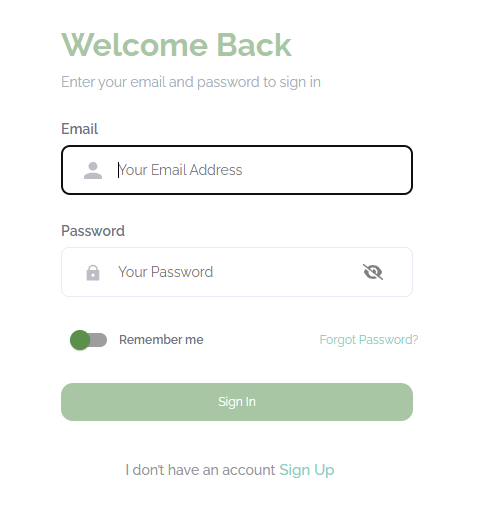
1. Logging In (For Existing Users)
- Go to the Login Page.
- Enter Your Email Address in the Email field.
- Enter Your Password in the Password field.
- To view your password as you type, click the eye icon.
- (Optional) Toggle “Remember Me” to stay signed in on your device.
- Click the Sign In button.
- If you’ve forgotten your password, click “Forgot Password?” and follow the instructions to reset it.
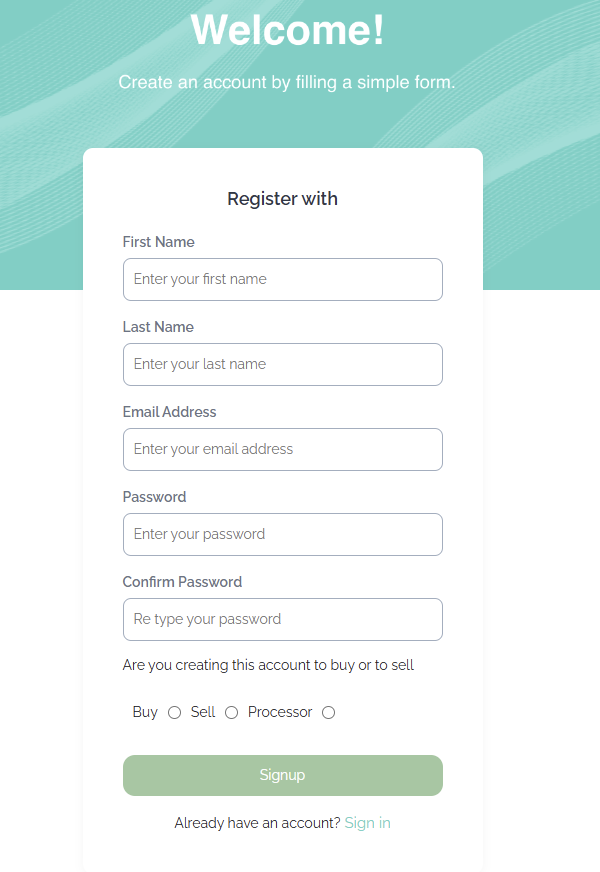
2. Registering a New Account
- Go to the Registration Page.
- Fill out the registration form:
- First Name
- Last Name
- Email Address
- Password
- Confirm Password (retype your password)
- Select Your Account Type:
- Buy — if you’re looking to purchase.
- Sell — if you’re listing products.
- Processor — if you’re a service provider.
- Click the Signup button.
- After successful registration, you can log in with your new credentials.